コード
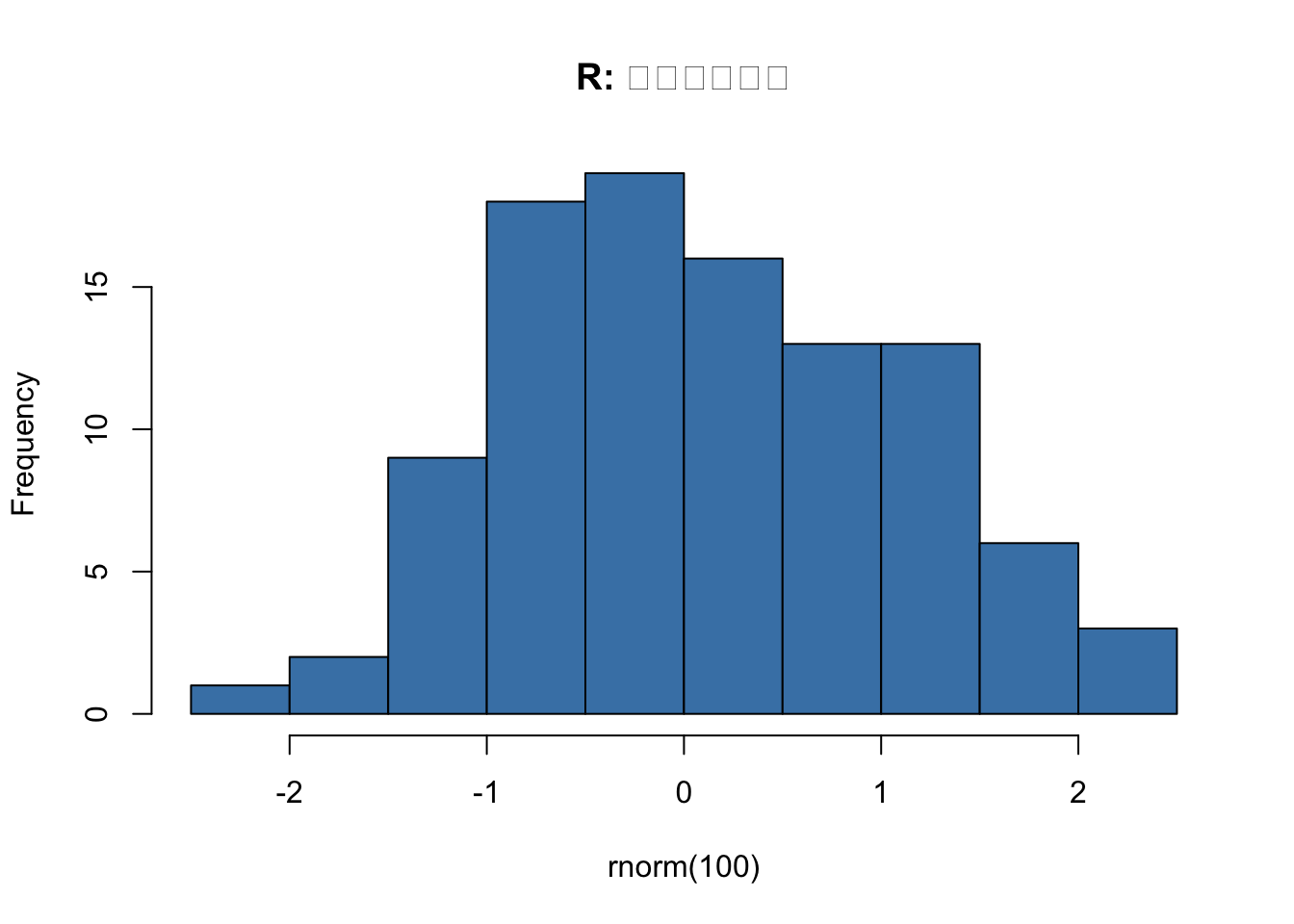
hist(rnorm(100), col = "steelblue", main = "R: ヒストグラム")
qmd テンプレート集 — 構造化と多形式連携
Quarto qmd ファイルの相互参照・マルチフォーマット・Div/Callouts・文献管理テンプレート集
watanabe3tipapa
2026年5月14日
このページでは、.qmd ファイルを 構造化 し、複数の出力形式に対応 するためのテンプレートを紹介します。
相互参照、Callouts、文献管理、Front Matter 上書きなど、実践的なパターンをまとめています。
Quarto では図・表・数式・節に自動でIDを振り、相互参照できます。
---
title: "相互参照デモ"
format: html
number-sections: true
---
# 実験結果
@fig-plot に実験結果を示します。
平均値は @tbl-stats の通りです。
{verbatim}
::: {.cell}
::: {.cell-output-display}
{#fig-plot width=672}
:::
:::
| 統計量 | 値 |
|--------|-----|
| 平均 | -0.1047564 |
| 標準偏差 | 1.0394798 |
: 基本統計量 {#tbl-stats}
詳細は @sec-analysis で解説します。
## 分析 {#sec-analysis}
ここに分析内容を記述します。
### 実行結果
`@fig-hist` にデータの分布を示します。
::: {.cell}
::: {.cell-output-display}
{#fig-hist width=672}
:::
:::
`@tbl-summary` から基本統計量を確認できます。
| 統計量 | 値 |
|--------|-----|
| 標本サイズ | 100 |
| 平均 | 0.083 |
| 標準偏差 | 1.03 |
| 中央値 | 0.071 |
: 基本統計量一覧 {#tbl-summary}
### 参照構文一覧
| 対象 | ラベル | 参照構文 | 表示例 |
|------|--------|----------|--------|
| 図 | `#| label: fig-xxx` | `@fig-xxx` | 図 1 |
| 表 | `{#tbl-xxx}` | `@tbl-xxx` | 表 1 |
| 節 | `{#sec-xxx}` | `@sec-xxx` | 節 2.1 |
| 数式 | `{#eq-xxx}` | `@eq-xxx` | 式 1 |
| ラインブロック | `{#lst-xxx}` | `@lst-xxx` | リスト 1 |
---
## 2. マルチフォーマット出力
1つの `.qmd` ファイルから **HTML / PDF / DOCX** を同時に出力するテンプレートです。
### テンプレート
```qmd
---
title: "マルチフォーマットレポート"
format:
html:
toc: true
code-fold: true
theme: cosmo
pdf:
documentclass: article
geometry: margin=1in
number-sections: true
docx:
toc: true
highlight-style: github
execute:
echo: true
warning: false
---
# レポートタイトル
このファイルは HTML・PDF・DOCX の3形式で出力されます。
{verbatim}
::: {.cell}
::: {.cell-output-display}
{width=672}
:::
:::
Quarto では format: キーの中で、出力先ごとにオプションを個別設定できます。
---
format:
html:
# HTML でのみ折りたたみ表示
code-fold: true
pdf:
# PDF でのみフォント設定
mainfont: "Noto Serif CJK JP"
---
Quarto 独自のブロック要素を使って、リッチなレイアウトを実現します。
::: {.callout-note}
## メモ
これはノートです。
:::
::: {.callout-warning}
## 注意
これは警告です。
:::
::: {.callout-important}
## 重要
重要な内容です。
:::
::: {.callout-tip}
## ヒント
役立つ情報です。
:::
::: {.callout-caution}
## 注意喚起
注意が必要です。
:::
Callout は ::: で囲み、{.callout-種類} で種類を指定します。タイトルは ## タイトル で追加できます。
コードブロック内で {verbatim} を使うと、Quarto の構文をそのまま表示できます。
Callout は入れ子にできません。また、PDF 出力でもそのまま反映されます。
appearance: simple や collapse: true などの追加オプションも指定可能です。
:::: {.grid}
::: {.g-col-6}
左カラムの内容
:::
::: {.g-col-6}
右カラムの内容
:::
::::
::: {.panel-tabset}
## R
R のコード例
## Python
Python のコード例
:::
Quarto は BibTeX / CSL-JSON 形式の文献ファイルをサポートし、@citekey で本文中に引用を挿入できます。
---
title: "文献管理デモ"
bibliography: references.bib
citation: true
link-citations: true
format: html
---
## 導入
Quarto は @quarto2024 で紹介されているように、
再現可能なドキュメント生成が可能です。
また @wickham2019 の設計思想に基づいた
ワークフローが推奨されています。
## 参考文献
references.bib)現在の _quarto.yml には bibliography の設定はありません。必要に応じて追記します:
.qmd ファイル単位で _quarto.yml の設定をオーバーライドするパターン集です。
ファイルの YAML front matter に記述した値は、_quarto.yml の該当値を上書きします。
| 目的 | _quarto.yml |
.qmd Front Matter |
|---|---|---|
| テーマ変更 | theme: spacelab |
theme: darkly |
| 目次制御 | toc: true |
toc: false |
| コード表示 | code-fold: true |
code-fold: show(初期表示) |
| 実行制御 | echo: true |
echo: false / eval: false |
| 個別CSS | (なし) | css: custom-styles.css |
| 言語切替 | lang: ja |
lang: en |
| PDF専用設定 | documentclass: article |
documentclass: report |
このページ(content5)では custom-styles.css を適用しています。_quarto.yml で styles.css がデフォルト指定されていますが、front matter で上書きしています。
---
title: "Content5"
subtitle: "qmd テンプレート集 — 構造化と多形式連携"
author: "watanabe3tipapa"
date: last-modified
description: |
Quarto qmd ファイルの相互参照・マルチフォーマット・Div/Callouts・文献管理テンプレート集
lang: ja
toc: true
number-sections: true
highlight-style: github
code-fold: show
execute:
echo: false
warning: false
format:
html:
css: custom-styles.css
pdf:
documentclass: article
papersize: a4
---
# qmd テンプレート集 — 構造化と多形式連携
このページでは、`.qmd` ファイルを **構造化** し、**複数の出力形式に対応** するためのテンプレートを紹介します。
相互参照、Callouts、文献管理、Front Matter 上書きなど、実践的なパターンをまとめています。
---
## 1. 相互参照テンプレート
Quarto では図・表・数式・節に自動でIDを振り、相互参照できます。
### テンプレート
```qmd
---
title: "相互参照デモ"
format: html
number-sections: true
---
# 実験結果
@fig-plot に実験結果を示します。
平均値は @tbl-stats の通りです。
{verbatim}
```{r}
#| label: fig-plot
#| fig-cap: "実験結果の分布"
x <- rnorm(50)
hist(x, main = "実験結果")
```
| 統計量 | 値 |
|--------|-----|
| 平均 | `r mean(x)` |
| 標準偏差 | `r sd(x)` |
: 基本統計量 {#tbl-stats}
詳細は @sec-analysis で解説します。
## 分析 {#sec-analysis}
ここに分析内容を記述します。
```
```
### 実行結果
`@fig-hist` にデータの分布を示します。
```{r}
#| label: fig-hist
#| fig-cap: "正規乱数の分布"
x <- rnorm(100)
hist(x, main = "正規分布 N(0,1)", col = "steelblue", breaks = 15)
```
`@tbl-summary` から基本統計量を確認できます。
| 統計量 | 値 |
|--------|-----|
| 標本サイズ | `r length(x)` |
| 平均 | `r round(mean(x), 3)` |
| 標準偏差 | `r round(sd(x), 3)` |
| 中央値 | `r round(median(x), 3)` |
: 基本統計量一覧 {#tbl-summary}
### 参照構文一覧
| 対象 | ラベル | 参照構文 | 表示例 |
|------|--------|----------|--------|
| 図 | `#| label: fig-xxx` | `@fig-xxx` | 図 1 |
| 表 | `{#tbl-xxx}` | `@tbl-xxx` | 表 1 |
| 節 | `{#sec-xxx}` | `@sec-xxx` | 節 2.1 |
| 数式 | `{#eq-xxx}` | `@eq-xxx` | 式 1 |
| ラインブロック | `{#lst-xxx}` | `@lst-xxx` | リスト 1 |
---
## 2. マルチフォーマット出力
1つの `.qmd` ファイルから **HTML / PDF / DOCX** を同時に出力するテンプレートです。
### テンプレート
```qmd
---
title: "マルチフォーマットレポート"
format:
html:
toc: true
code-fold: true
theme: cosmo
pdf:
documentclass: article
geometry: margin=1in
number-sections: true
docx:
toc: true
highlight-style: github
execute:
echo: true
warning: false
---
# レポートタイトル
このファイルは HTML・PDF・DOCX の3形式で出力されます。
{verbatim}
```{r}
#| fig-cap: "散布図"
plot(mtcars$wt, mtcars$mpg,
xlab = "Weight", ylab = "MPG",
col = "steelblue", pch = 19)
```
```
### 形式ごとの条件分岐
Quarto では `format:` キーの中で、出力先ごとにオプションを個別設定できます。
```qmd
---
format:
html:
# HTML でのみ折りたたみ表示
code-fold: true
pdf:
# PDF でのみフォント設定
mainfont: "Noto Serif CJK JP"
---
```
---
## 3. Div / Callouts / Layout
Quarto 独自のブロック要素を使って、リッチなレイアウトを実現します。
### Callouts
```qmd
::: {.callout-note}
## メモ
これはノートです。
:::
::: {.callout-warning}
## 注意
これは警告です。
:::
::: {.callout-important}
## 重要
重要な内容です。
:::
::: {.callout-tip}
## ヒント
役立つ情報です。
:::
::: {.callout-caution}
## 注意喚起
注意が必要です。
:::
```
### 実行結果
::: {.callout-note}
## メモ
Callout は `:::` で囲み、`{.callout-種類}` で種類を指定します。タイトルは `## タイトル` で追加できます。
:::
::: {.callout-warning}
## 注意
コードブロック内で `{verbatim}` を使うと、Quarto の構文をそのまま表示できます。
:::
::: {.callout-important}
## 重要
Callout は入れ子にできません。また、PDF 出力でもそのまま反映されます。
:::
::: {.callout-tip}
## ヒント
`appearance: simple` や `collapse: true` などの追加オプションも指定可能です。
:::
### Layout パネル
```qmd
:::: {.grid}
::: {.g-col-6}
左カラムの内容
:::
::: {.g-col-6}
右カラムの内容
:::
::::
```
### タブセット
```qmd
::: {.panel-tabset}
## R
R のコード例
## Python
Python のコード例
:::
```
### タブセット実行結果
::: {.panel-tabset}
## ヒストグラム
```{r}
#| echo: true
hist(rnorm(100), col = "steelblue", main = "R: ヒストグラム")
```
## 散布図
```{r}
#| echo: true
plot(mtcars$wt, mtcars$mpg, col = "tomato", pch = 19,
xlab = "Weight", ylab = "MPG", main = "R: 散布図")
```
:::
---
## 4. 文献管理 + 引用
Quarto は BibTeX / CSL-JSON 形式の文献ファイルをサポートし、`@citekey` で本文中に引用を挿入できます。
### テンプレート
```qmd
---
title: "文献管理デモ"
bibliography: references.bib
citation: true
link-citations: true
format: html
---
## 導入
Quarto は @quarto2024 で紹介されているように、
再現可能なドキュメント生成が可能です。
また @wickham2019 の設計思想に基づいた
ワークフローが推奨されています。
## 参考文献
```
### 文献ファイルの例(`references.bib`)
```bib
@book{wickham2019,
title = {R Packages},
author = {Hadley Wickham},
year = {2019},
publisher = {O'Reilly Media}
}
@online{quarto2024,
title = {Quarto Documentation},
author = {Posit Software},
year = {2024},
url = {https://quarto.org/docs/}
}
```
### このプロジェクトでの設定
現在の `_quarto.yml` には bibliography の設定はありません。必要に応じて追記します:
```yaml
# _quarto.yml に追加
bibliography: references.bib
link-citations: true
```
---
## 5. Front Matter 上書き
`.qmd` ファイル単位で `_quarto.yml` の設定をオーバーライドするパターン集です。
### 基本ルール
ファイルの YAML front matter に記述した値は、`_quarto.yml` の該当値を上書きします。
### 上書きパターン一覧
| 目的 | `_quarto.yml` | `.qmd` Front Matter |
|------|---------------|---------------------|
| テーマ変更 | `theme: spacelab` | `theme: darkly` |
| 目次制御 | `toc: true` | `toc: false` |
| コード表示 | `code-fold: true` | `code-fold: show`(初期表示) |
| 実行制御 | `echo: true` | `echo: false / eval: false` |
| 個別CSS | (なし) | `css: custom-styles.css` |
| 言語切替 | `lang: ja` | `lang: en` |
| PDF専用設定 | `documentclass: article` | `documentclass: report` |
### 実例:テーマ上書き
このページ(content5)では `custom-styles.css` を適用しています。`_quarto.yml` で `styles.css` がデフォルト指定されていますが、front matter で上書きしています。
```yaml
---
# content5.qmd の front matter
format:
html:
css: custom-styles.css # styles.css を上書き
pdf:
documentclass: article
papersize: a4
---
```
### 実例:コード実行の抑制
```yaml
---
# このファイルではコードを表示するが実行しない
execute:
echo: true
eval: false
---
```
---
## 参考
- [Content3](content3.html) — `_quarto.yml` テンプレート集
- [Content4](content4.html) — コード実行・動的コンテンツのテンプレート集